NocoBase Docker#
极易扩展的 AI 无代码开发平台
Docker Compose#
version: '3'

networks:
  nocobase:
    driver: bridge

services:
  app:
    image: registry.cn-shanghai.aliyuncs.com/nocobase/nocobase:latest-full
    restart: always
    networks:
      - nocobase
    depends_on:
      - postgres
    environment:
      # 应用的密钥,用于生成用户 token 等
      # 如果 APP_KEY 修改了,旧的 token 也会随之失效
      # 可以是任意随机字符串,并确保不对外泄露
      - APP_KEY=your-secret-key
      # 数据库类型,支持 postgres, mysql, mariadb
      - DB_DIALECT=postgres
      # 数据库主机,可以替换为已有的数据库服务器 IP
      - DB_HOST=postgres
      # Database port
      - DB_PORT=5432
      # 数据库名
      - DB_DATABASE=nocobase
      # 数据库用户
      - DB_USER=nocobase
      # 数据库密码
      - DB_PASSWORD=nocobase
      # 时区
      - TZ=Asia/Shanghai

    volumes:
      - ./storage:/app/nocobase/storage
    ports:
      - '13000:80'
    # init: true

  # 如果使用已有数据库服务,可以不启动 postgres
  postgres:
    image: registry.cn-shanghai.aliyuncs.com/nocobase/postgres:16
    restart: always
    command: postgres -c wal_level=logical
    environment:
      POSTGRES_USER: nocobase
      POSTGRES_DB: nocobase
      POSTGRES_PASSWORD: nocobase
    volumes:
      - ./storage/db/postgres:/var/lib/postgresql/data
    networks:
      - nocobase
User: admin@nocobase.com / admin123
NocoBase 与 NocoDB#
NocoBase 是一个功能全面的应用开发平台,而 NocoDB 则是一款专注于数据管理的工具
如果你需要一个高度灵活、强大且适合企业级应用的工具,NocoBase 是更适合的选择
如果你需求是轻量级数据库管理,且不需要复杂的集成功能,NocoDB 会是一个简洁高效的方案
Runtime Environment#
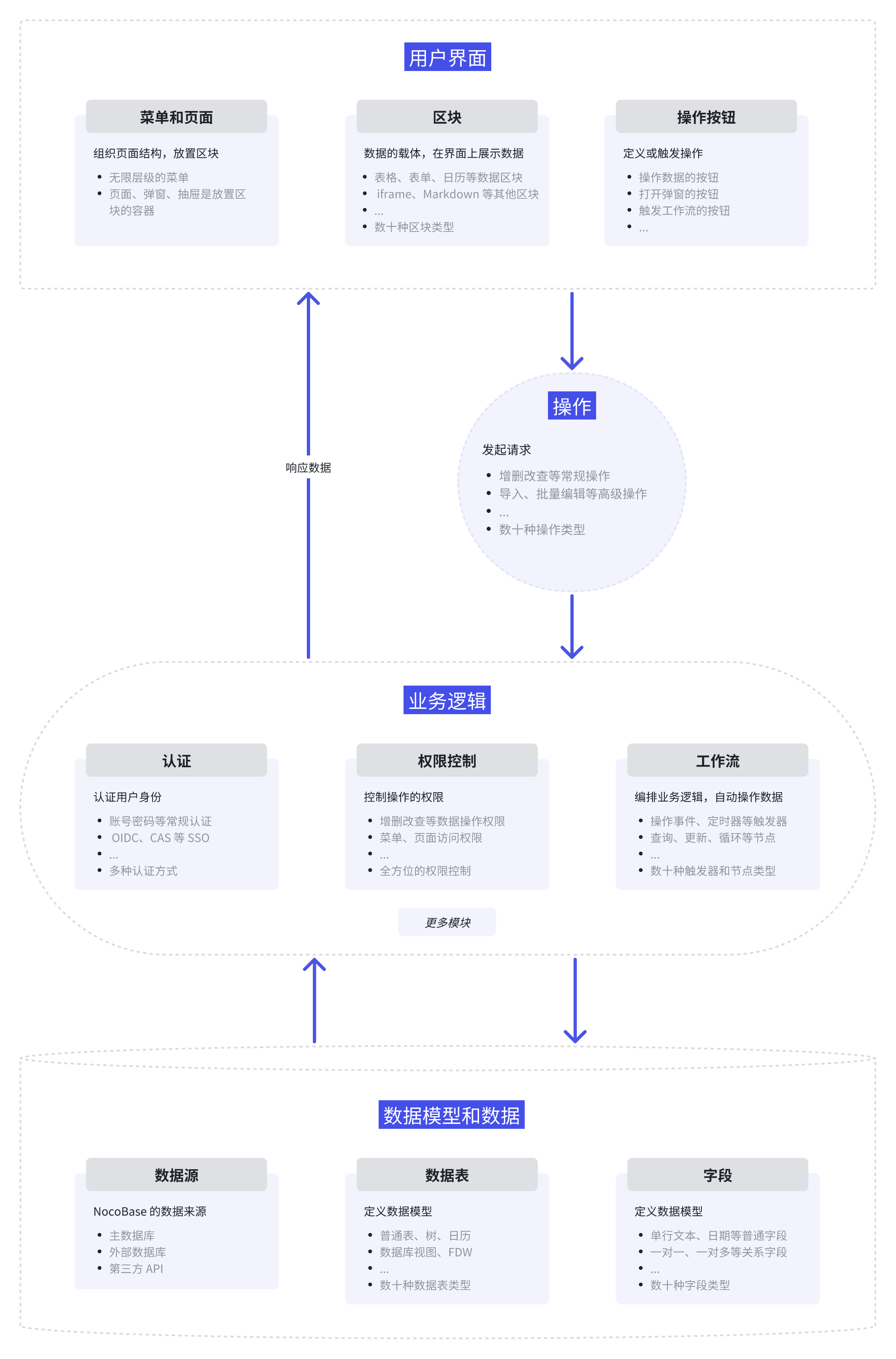
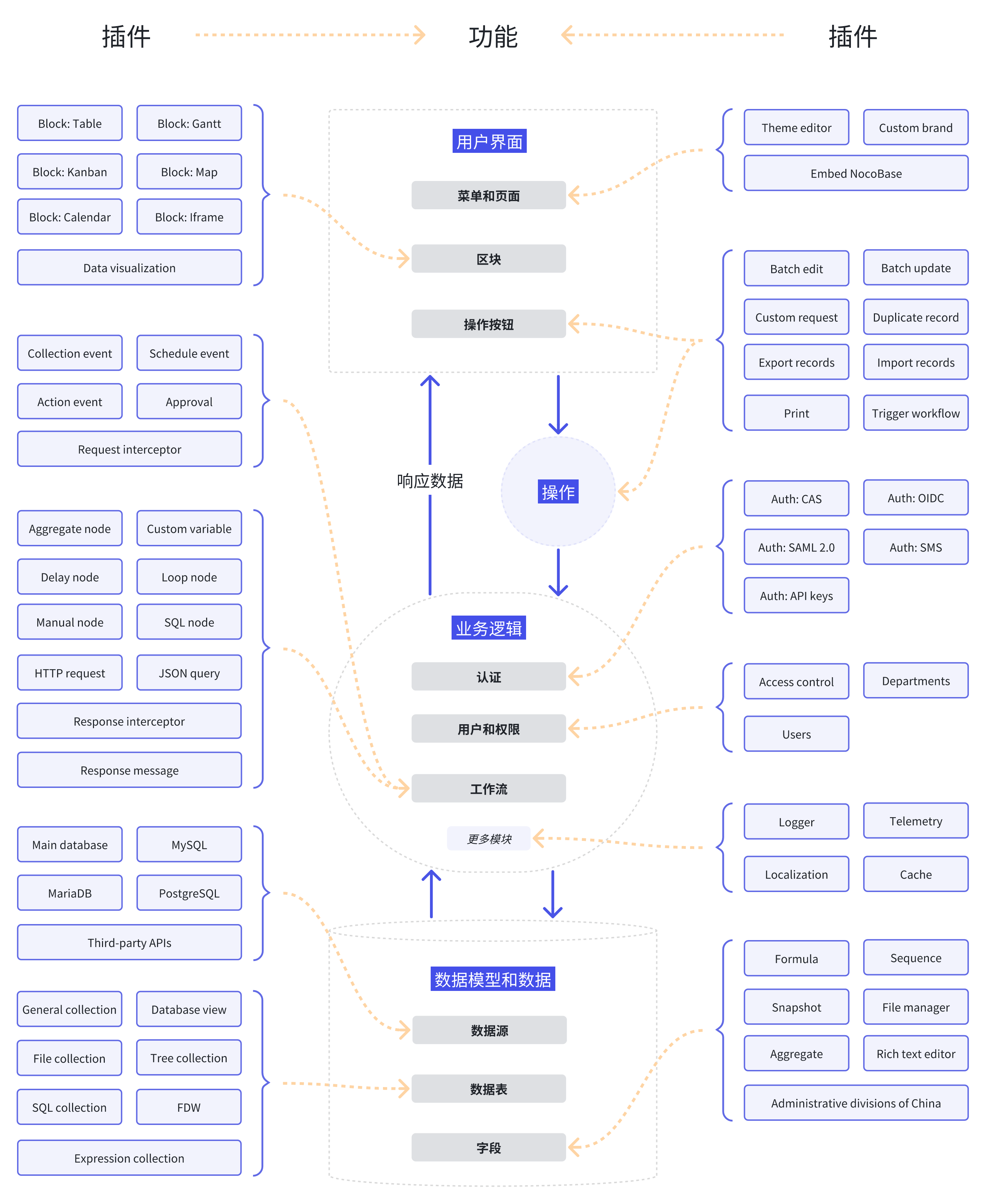
Architecture#
Screenshots#